# DevTools
> A read-only Chrome DevTools panel that reads the negotiated state back out of a running Native Federation v4 application — every shared package, every remote, every chunk.
_Which version of `@angular/core` won? Who provided it? Why did that remote end up with its own copy?_
The negotiation happens once, at startup — then it disappears into the import map. Native Federation DevTools reads it back out of the running page and explains it.
Install from the Chrome Web Store
> [!NOTE] **Requires the v4 Orchestrator.** The panel reads the registry that `@softarc/native-federation-orchestrator` keeps in the page. Applications on the classic v3 runtime (`@softarc/native-federation-runtime`) are not supported.
## Install
The extension is a public pre-release, developed as part of the Native Federation project — feedback and bug reports are welcome in the [GitHub repository](https://github.com/native-federation/devtools/issues).
Install it from the **[Chrome Web Store](https://chromewebstore.google.com/detail/native-federation-devtool/knbodlnbljndbcbalndkflbhbegdghej)** — published under the official Native Federation presence.
Alternatively, install the latest release by hand:
1. Download `native-federation-devtools-.zip` from the [GitHub releases page](https://github.com/native-federation/devtools/releases) and unzip it.
2. Open `chrome://extensions`, enable **Developer mode**, click **Load unpacked** and select the unzipped directory.
Either way, open Chrome DevTools on an application that runs the v4 Orchestrator. The panel appears as a new **Native Federation** tab.
## Three questions it answers
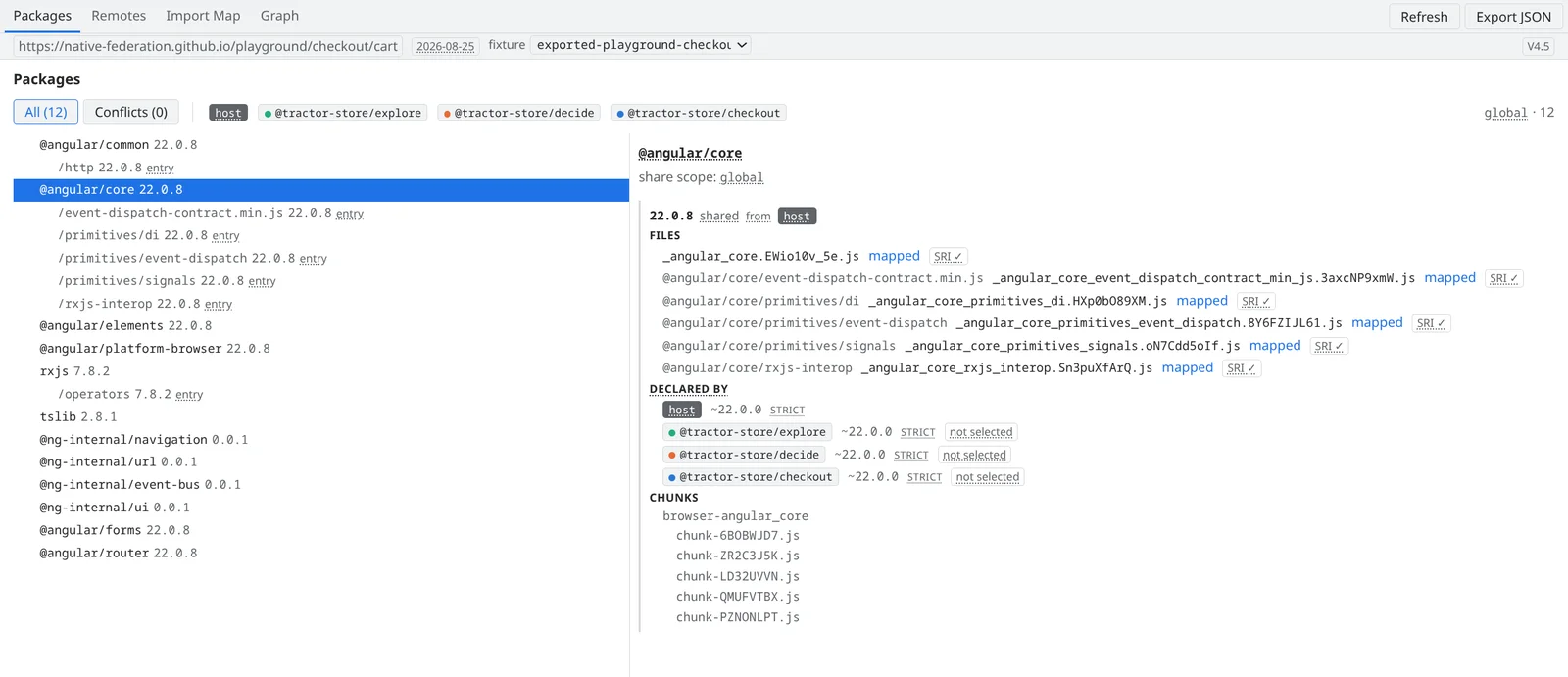
### Which version won? — Packages
The **Packages** tab lists every shared package in every share scope. Select one and the detail pane shows the negotiation: the version that is shared, the participant that provides it, the file that serves each entry point (SRI status included) and — under _Declared by_ — every participant with the range it declared, its `strictVersion` flag and whether its own copy was selected.
Packages that resolved to more than one version are flagged, and the **Conflicts** filter narrows the list down to them. The chunk files a package pulls in are listed at the bottom of the detail pane.
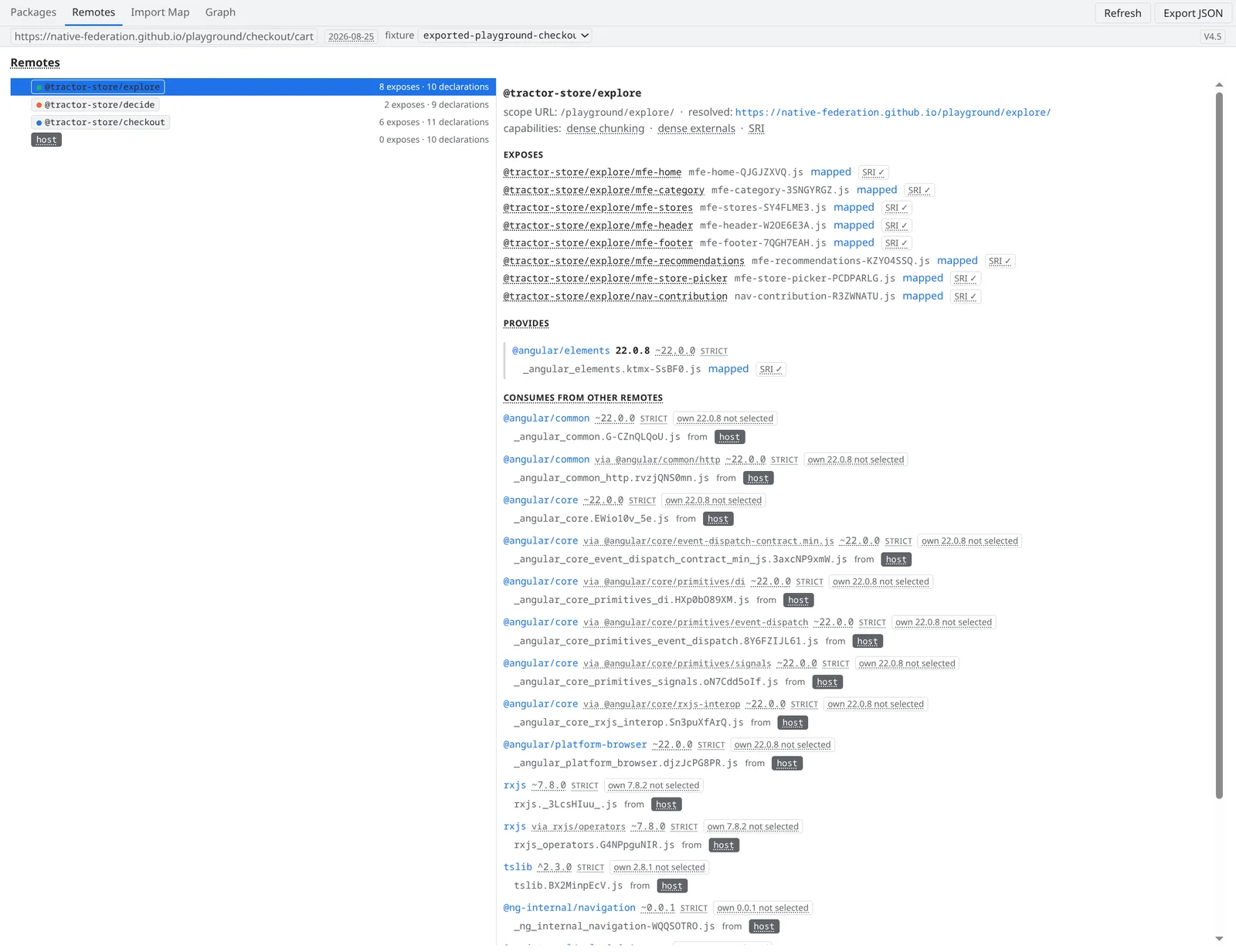
### Who provides what — and who consumes it? — Remotes
The **Remotes** tab is the same data from one participant's point of view: what it exposes (with the mapped file per expose key), which packages it _provides_ to the federation and — line by line — which dependencies it _consumes_ from other remotes, where each one resolved to and which own version lost the negotiation.
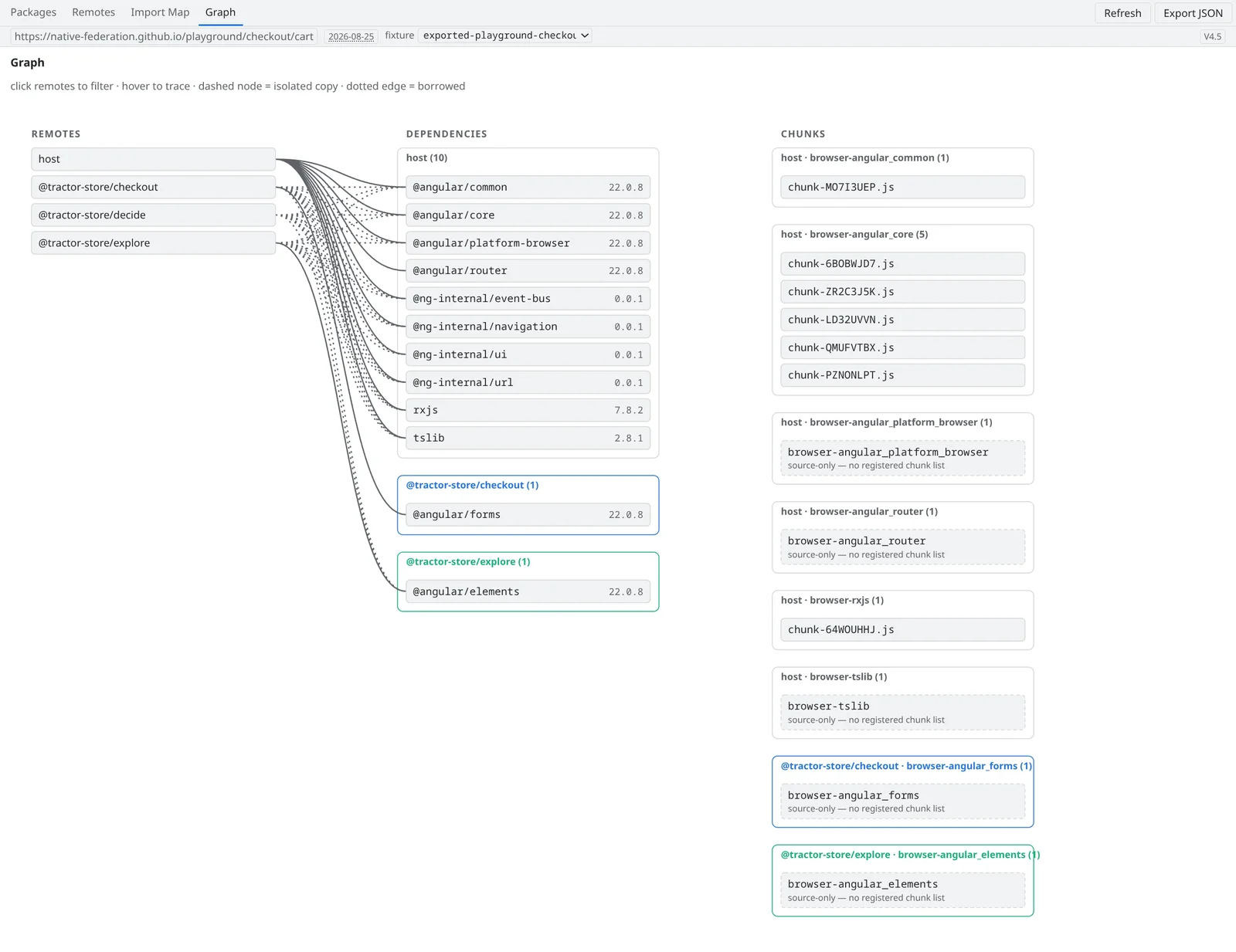
### Why did that remote end up with its own copy? — Graph
The **Graph** tab draws remotes, dependency copies and chunk files as one picture. Dashed nodes are isolated copies and dotted edges are borrowed dependencies, so a remote that fell back to its own version stands out immediately. Hover a node to trace everything connected to it; click a remote to filter the graph down to it.
### Also in the panel
- **Import Map** — the effective map, row by row, each entry attributed to its package, its provider and the chunk bundle that serves it. This is the raw evidence the other tabs are derived from.
- **Export JSON** — freezes the whole snapshot to a file. Attach it to a bug report and the maintainers see exactly what your browser saw.
- **Refresh** — the panel shows a snapshot taken at the timestamp in the toolbar. Re-capture after a dynamic init has added remotes.
## What it does not tell you
The panel reports what the runtime committed — nothing more. Keep three boundaries in mind when reading it:
- **Resolution is not execution.** _Mapped_ means the import map points a specifier at a file. It does not prove the file was loaded, let alone that its code ran — the Network panel answers that.
- **Failed remotes are invisible.** A remote whose `remoteEntry.json` could not be loaded never enters the registry, so it does not appear in the panel. Its error shows up in the browser console instead.
- **Declared is not used.** A participant's row shows the range it declared and where that resolved — not whether the remote actually imports the package at runtime.
The extension is strictly read-only: it requests no host permissions and injects no content scripts. It inspects the page; it never mutates it. The [repository](https://github.com/native-federation/devtools) documents the design constraints behind that.
